Last month I gave some reasons why I became interested in operating remotely. This month, I’d like to share my operating environment – my gear, some software and network information, where the gear is located, and how I like to operate.
Gear located in my outside (detached) shed as follows:

- My main rig is an ICOM IC-9100; I use this rig for just about everything.
- 40m dipole (doublet), balanced line (ladder line) going into a balun with a short run of coax going into the AT2K http://www.hamuniverse.com/hfdoublet.html
- Palstar AT2K tuner (manual tuning required)
- 2m vertical, 70cm vertical, and 900MHz vertical antennas
- 6m loop, 2m loop, and 70cm loop antennas
- Generic laptop computer connected to the KJ4WLH wireless network and also connected to the IC-9100
- Kenwood TK-981 mobile (as a base station)
- Misc coax switches
To make a really, REALLY long story much shorter; here are some of my favorite computer software packages related to ham radio as well:
- Windows 7 Home, x64
- Ham Radio Deluxe (HRD) – primarily the Logbook and DM780
- Dropbox
- Oracle’s Virtualbox (virtual machine operating environment)
- Logbook of the World
- Griffin Powermate (VFO knob)
- Icom RS-BA1 – Remote control software
I’m not trying to do pros vs. cons of each of these software packages/suites – just saying what I have chosen for my particular use. Your mileage may vary – in fact, you might not even get a single mile out of any of them
Starting with the hardware pieces, the IC-9100 is connected to the laptop with a USB cable. The IC-9100 has 2 different functions/devices which work over the USB cable: the first device emulates a serial port and the other device emulates a sound card. The serial port interface is the old, reliable CI-V workhorse of the Icom line – it allows rig control from the laptop.
I use DM780 as my preferred HF digital terminal emulator – the IC-9100 sound card operates much like an external TNC, Tigerlink, or other generic data mode terminal. For those who have used any (either internal or external) sound card to work HF digital modes – the IC-9100 sound card “emulation” works EXACTLY the same way. The laptop “thinks” that it has 2 sound cards when the IC-9100 is on – the “original” sound card that plays music and beeps when Windows misbehaves and the “OTHER” sound card, the one inside the IC-9100 that is used by DM780!
Dropbox is a neat utility that allows you to keep some Windows folders (directories) in sync across ANY other computer that also has Dropbox logged in with the same account. You can have multiple computers, located anywhere, all have a folder (directory) that stays up to date all the time! The way I use Dropbox with ham radio is like this: I keep my HRD Logbook database in a folder that is “monitored” by Dropbox That means that whenever I have updated my HRD Logbook, Dropbox AUTOMATICALLY makes all the other computers have the SAME copy as soon as they get connected to the internet! Yep, my logbook can be up to date on all the computers that I own without me having to manually copy it from place to place and try to remember which computer has the latest version.
Oh, by the way, Dropbox can be used to do that for pretty much ANY files that you need to keep in sync. Like my DM780 macros, or my rig manuals, or my (fill in your favorite files here). Yeah, it’s easy to use and you get a little bit of space for FREE! (There is plenty of space to do all Ham related stuff WITHOUT having to pay for a monthly subscription.) Final note about Dropbox, it also keeps your files backed up for you online – if your computer dies or your accidentally delete something – you can go online and get it back, yes – still for free!
Virtualbox is another free software program that allows you to create and operate a “Virtual Machine” (VM). A VM is like having a completely separate, dedicated laptop/desktop/server running whatever Operating System (OS) that you prefer. I’m kinda a fan of Windows XP for most ham radio programs – they’re not always kept up to date with all the fast pace of Windows Vista/7/8 releases. So, I have created a VM with a Windows XP OS that is dedicated solely to running my ham radio applications! Why in the world would I want to do this? Ahhh, great question!
“Why in the world would you ever think about running a VM with Windows XP for ham radio applications? (Are you insane? Why yes, I am – thank you! )”
- I never have to change the software that’s running. Are you tired of installing, re-installing, un-installing software on your computer – only to find out that something that used to run just fine stopped working? I get tired of that and now I don’t have that problem anymore
- Remember Dropbox? The VM has Dropbox on it too! That means that my VM is just as up to date as ANY other computer I have. My Logbook is up to date. My DM780 macros are up to date. My manuals are up to date. EVERYTHING data related stays automatically up to date
- I have access to a bunch of different computers: Work laptop, couple of home laptops, home server. I can run a VM wherever I wish WITHOUT messing up whatever is on those other computers! Get it? I can run my VM for ham radio applications on my work laptop WITHOUT work knowing about it… (Legal disclaimer – I’d never knowingly run non-authorized, work related programs on my work supplied laptop I know nobody else would either!
- Finally, this article is about remote operation! Once I have a good VM, I have a copy that I can use to make more copies and put them wherever I wish. I now have a good, stable, and reliable operating environment that I can “take with me.”
Finally, the software that allows my remote usage – Icom’s RS-BA1. Of all the wonderful software I’ve listed so far, this is the most critical and worst performing component. Clearly the worst part of the lot… Fortunately, the FCC doesn’t allow cursing and I’m pretty sure that RARC would look unfavorably upon any article with foul language. So, when I call the Icom RS-BA1 software “Really ******, Barely Adequate (version) 1,” that’s about as close as I can get to making the censors happy.
The upside is that yes, I’ve achieved success with RS-BA1, but not without much pain and losing 3 hair follicles – I count them now… ”Every hair is sacred, every hair is great, if I waste just 1 hair…” – whoops, that’s my Monty Python humour slipping out – sorry…
Another minor point; consider how much I have spent on software so far – $0.00. Pretty nice, but now I get to the point; the ICOM RS-BA1 software costs about $100! Yeah, $100… The RS-BA1 software is the most important part of this whole setup and is just a pain in the rump. Not only is it the most critical and problematic part of the solution – it’s also the ONLY part that actually costs money, I call that ironic!
ICom’s RS-BA1 software is a 2-part package: The server component runs on the laptop out in the shack that is connected directly to the IC-9100. The client component runs anywhere else – for me, I have it running inside a VM (of course!) What happens is that the RS-BA1 server component takes the serial port (the old Icom CI-V) and the IC-9100 internal sound card and makes it available over the network to any authorized RS-BA1 client. The RS-BA1 client’s OS “sees” a new serial port and new sound card, just like they were actually attached to the OS! Pretty neat huh?
When you are using the RS-BA1 remote client, you can use ANY program that you like to use that would “normally” work with the rig sitting right next to it. Yes, I can do PSK31 on my VM! Yes, I can do SSB on 20m, or 2m or 70cm or 23 cm – or FM or CW. Ok, well, it’ll do CW even though I still can’t The point is, it’ll do whatever you like to do.
Next time we’ll talk about ways I use the pieces and parts to make remote operation fun and enjoyable!
73 de KJ4WLH
I need to start this article with a confession; I am a very lazy man. I mean it; I’ve heard it from my XYL, so it must be true! My laziness really is part of “me” – I am HAPPY spending LOTS of time avoiding something that is routine, trivial, or just not that exciting. I prefer spending time “thinking” (some might call it procrastinating, others might even call it daydreaming) about ways to make those activities not even happen – you know, ideas like paving over the front yard and putting down AstroTurf so I don’t have to cut the grass; ideas that will never fly…
As I daydreamed about ways to make amateur radio even more part of my daily life, I’d often wondered what it would be like to have a complete, remote setup. You know what I mean: every band, every mode, plenty of power, great audio, rig control, antenna tuning, logging, easily portable, all that and more. What kind of “freedom” would that bring!? How could I accomplish this? How much would it cost me?!! Does the technology exist to do all this? Even if I could, why would I want to operate remotely – I mean, isn’t turning the VFO knob part of “being” a HAM?
Recently, my XYL made the fine “suggestion” that the coax hanging from the rear of the house needed to come down and I should just put my “stuff/toys/junk” outside in the shed. Not a bad idea I thought! I’d run power (50 amps of 220) to the shed several years ago to run power tools (table saw, planer, dust collector, etc.) and I really hadn’t built a woodworking project in a couple of years. It turned out that the shed was a great idea; now I’ve got all my gear there – plenty of light, it’s quiet, great ground system, and ALL the coax is just run wherever I need it – right through the floor! There is a thermostat controlled heater which keeps the shack at a comfortable temp when I’m in it and a “maintenance mode” which keeps the shed at 55°F when I’m not. I’ve also got a window and when summer rolls around, I’ll be placing an AC in there. I’ve got a wireless router and a laptop connected to my home network – so I even have internet access. If I had a small fridge, coffee maker, and toilet – I’m not sure I’d really need to get back into the house!
By now, you might be asking, “If you’ve got a shack like that – what are you complaining about?!?!” Remember the beginning of the article – the part where I said that I was lazy. Here’s how that part fits in – the shack is outside. That’s it. WHAT?!? You’re moaning, complaining, and whining about having to WALK outside to your comfortable, DEDICATED, HAM SHACK?!?! Yep, I sure am… Ok, ok, ok… There’s a little more to it than that – I work from home quite a bit and my office is not located in my shack – it’s in the house. Additionally, when I travel, it would be really nice to work my rig – not just a 2m/70cm HT, while somewhere other than at my QTH.
Remote operation – the answer to my quest for even more idleness! With a remote control station, I could sit at my desk at home or desk at work, link up my laptop and work the world! I could use my Ham Radio Deluxe software to control my rig, DM780 for PSK31 and automatically update PSK reporter, while automatically uploading my contacts to eQSL with no delay! (LOTW still needs a manual upload, haven’t quite figured that one out…) Headset and wireless network allows me to take my laptop anywhere in the house – OR BETTER YET, anywhere with an Internet connection! I would be able to participate in the D-STAR net on Wednesday evening, attend the 50.215 6m Central Virginia net at 07:00 for the early check-in list, perhaps follow the grey line for some 20m PSK31, and if I wanted to show anybody at work what Ham Radio is about – just connect over the Internet! The possibilities are (almost) endless!
For those of us who like lists, here are the things that I really wanted from remote operation:
1. Do EVERYTHING that I normally do at my station – except be there!
2. Ease of use – Be easy to understand, use, change, and operate.
3. Portability – Operate anywhere that had wireless or Internet connectivity
4. Reliability – Works reliably all the time – not just sometimes
5. Integration – Must work with Ham Radio Deluxe, DM780, etc.
6. Laptop Compatibility – Software remote operation
7. Rig Compatibility – Must work with my rig!
8. “Reasonably” priced!
The good news is that I’ve managed to get most of that list into my current operating environment. There have been a few bumps and bruises along the way; however, I’ve got to say, I’ve enjoyed most of the journey and am quite pleased with where the road has taken me!
Until next month – 73 de KJ4WLH
Jim Bates (KJ4WLH) – March 2012
Many of you have been patiently waiting for some training on how to use the D Star gateway features for linking our repeaters to other repeaters and reflectors around the world. The wait is over. We had wanted the gateway to be fully operational before conducting the training, and it is.
On Saturday April 21, 2012 from 10:00 am to noon in Room 202 at the church, the Club will offer a training session on how to use the gateway. We will discuss the mechanics and etiquette of linking our repeaters. We will also show you some of the radio and internet tools for how to check on the status of our D Star repeaters.
If you are not already registered on a D Star gateway somewhere, you need to be registered in order to use the linking features. You should only register one time. Registration on any gateway gives you access to the full D Star system. If you have not registered on any D Star gateway, you can go to https://w4fj.dstargateway.org/Dstar.do to register. It may take a day for your registration to become effective.
We will be able to register anyone who is not already registered at the training session, but in order to apply what you will learn it would be good for everyone to complete a gateway registration in advance.
Since most linking functions are performed by programming memory channels to execute the commands, considerable time will be devoted to how to set up your radio so that you can easily access the gateway features. If you have a D Star radio and want some help programming it, bring it to the training. If you have your own programming software on a laptop, you can bring that and any data cables you have. We will have some laptops with programming software and cables for most (but not all) D Star radios to help you get set up quickly.
No reservations required. Just show up. Contact Win Grant – WA4SSG (wingrant@gmail.com) with questions.

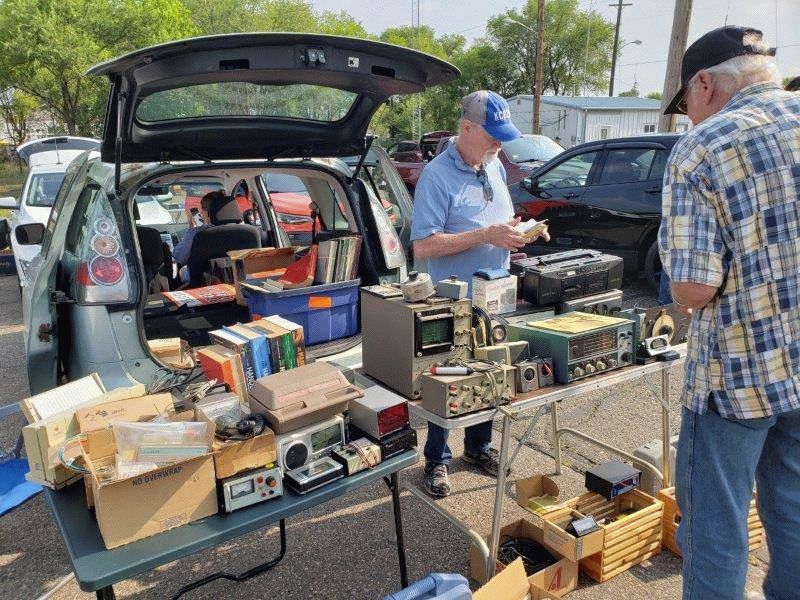
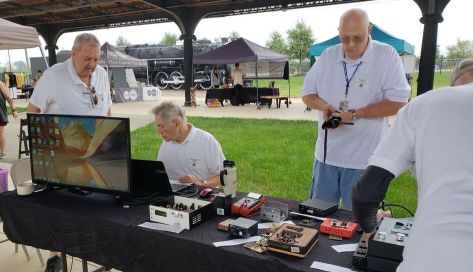
This great event put by on the Central Virginia 6 Meter SSB Net is an excellent opportunity to buy, sell or trade radio gear. Not to mention a great time to eyeball. This event has been very successful in the past. As a matter of fact I purchased the Kenwood TS-830 in the foreground of the picture.
When:
April 28th 8:00 A.M. to 12:00 Noon
Where:
The event will be at the Scottish Rite Temple parking lot on Hermitage Rd. There is no charge for participation and seller spaces are available on a first-come-first-served basis.
Who:
Gene Payne W4YSP
Sellers:
Sellers must provide their own tables and chairs.

Tailgate-Fest
The sky was blue, the temperature was (finally!) a comfortable 40 +/- degrees Fahrenheit and the day had arrived – I was finally ready to hang a new antenna in the back yard. I am a very new member of the hobby. I was licensed as a Tech in July, 2010. As an aspiring operator, I needed to operate SOMETHING. That ‘something’ happened to be a 2m/70cm rig – which, of course, needs an antenna to operate. I’m something of a chicken when it comes to heights (and snakes!); if I never climbed a ladder for the rest of my life, I think I’d be quite content. My challenge was where could I mount a 2m/70cm antenna. I’d selected the Diamond X50 as the model and was debating (with myself) as to the merits of mounting it on our chimney or inside our attic. My chicken spirit won the debate and I mounted the X50 in the attic, which was around 30 feet above ground level. My wife wouldn’t go for the antenna on the chimney… yeah – that sounds good! Never mind that I couldn’t image getting on a ladder 35 feet in the air and trying to mount it. The X50 worked well. All things being equal, it would work forever just fine. I could easily hit all of the local repeaters and simplex operation covered plenty of area. When the D-Star repeater went online late last year, I was able to hit the repeater BUT, I needed to bump the power up to 50 watts for “reliable” communication. 5 watts wouldn’t do it, and 15 watts was somewhat hit or miss. What to do, what to do… I have yet to meet a HAM who is content with all of his gear; you’re now reading a story written by a discontent HAM. My wife has a different opinion; perhaps I should be pleased with my current setup. “Who else could I want to talk with anyway? Doesn’t all that radio stuff already do what you NEED it to?” Well, I guess she has a point, BUT, back to my dilemma: Could my attic be “significantly” causing interference? Is the height of the antenna too low? Am I losing “too many” dB with my coax loss? Should I get an antenna with better gain? WHAT SHOULD I DO? Days turned into weeks, weeks into months and finally – a PLAN! I NEEDED, notice that I didn’t mention the word WANT, I NEEDED to get my 2m/70cm antenna outside of the attic. That’s the only way that some of those pesky questions would ever get resolved. Since I planned on relocating the antenna outside, this might also be a really convenient time to reconsider addressing some of the other questions: Should I get an antenna with better gain? YES! Diamond X300 on the way. Am I losing “too many” dB with my existing coax run? YES! Relocating my “shack/desk” to a nearby window and using 35 feet of LMR400 will surely help. Is the antenna too low? YEP! The antenna needs to be as high as “chickenly” possible. Hmm, how to get an antenna in a tree? How indeed? Well, I’ve learned there are many ways for those who love the earth and have neither the courage, strength, nor coordination to gain altitude. Bow and arrows, slingshots, fishing rods, spears, bricks, stones, hire young kids who like to climb tress – a variety of unique ways to get a piece of rope up in the limb of a tree. Slingshot!? Hey, my 11 year old son has one of those! That sounds pretty easy! I’d seen advertisements for the slingshot with a fishing reel mounted on the front. $90 for that? Really? Seems like a whole lot for something so simple, I think I’ll pass on that and make my own. I mean, how hard is getting a small sinker tied to some monofilament over a branch. I’ve got it – I know how to make my own launcher! I’ll take some coat wire hanger and form a T shape with it I’ve got a spool of monofilament; I’ll just push the coat wire hanger through the center of the monofilament spool and be able to hold the wire/spool with my hand while I hold the sling shot. Easy to make and parts are readily accessible! Well, back to the moment at hand! The day is beautiful, wonderfully mild after weeks of unseasonably cold, wet, and sometimes snowy weather. I’ve got my spool of 10 pound test monofilament, my homemade spool holder, a package of 1 ounce lead sinkers and my sling shot. I’m more than ready to go! Let’s get this rope in the air. I’ve never claimed to be an engineering genius and today was wonderful confirmation that I am not. As I assemble the parts, I get the spool of monofilament and pull off the rubber band which holds the monofilament from unspooling/unraveling. It seems that the monofilament was desperate to obtain relief from being constrained on that spool and immediately 3 feet or so unraveled in less time than a heartbeat. Hmm. That stinks… I’d better “re-wrap” it on the spool. Before I re-spool, I might as well tie on the sinker. Done. As I begin to fumble with re-spooling the monofilament, I accidentally drop the lead sinker. Since the sinker was tied to the monofilament, the monofilament comes off the spool and wraps itself around my fingers. My eyesight is not what it once was and 10 pound monofilament is pretty hard to see sometimes. Fortunately, all the monofilament is still connected to the sinker and the spool – so I just put everything I’m holding on the ground. I grab the spool and try to “respool” the monofilament. Not so fast, the monofilament is wrapped around the slingshot tubing and I think it’s now in a knot. Arghh. Ok, now I’ve got the slingshot unraveled – back to “re-spooling”. I think it is amazing that monofilament can catch on things I can’t see – like small twigs, pieces of bark and other miscellaneous yard debris. Even the slightest bit of breeze helped the monofilament catch on the tree bark of a nearby tree. All right! I’ve got the gear all set up again, spool held in place in front of the slingshot, slingshot in hand and lead sinker ready to go. Here we go, I look up and estimate the trajectory so I can get it over just the “right” branch. I pull the sinker back, things are looking good! I let go of the sinker and POP! The monofilament had, unbeknownst to me, unwrapped itself around the back of the spool. The sinker arced beautifully across the Carolina Blue sky without any hindrance at all! Free flight, the sinker was free! I watched as it went over the roof of my house and somewhere in either my or my neighbors front yard it landed – permanently. 1 sinker lost… Ok, I know what went wrong. I’ve just got to remember to make sure that the monofilament doesn’t “unspool”. Seems like fishing reels deal with this problem pretty well. I suppose I can just take one of my fingers and gently keep some light pressure on the monofilament and as soon as I let go of the sinker, the monofilament will spool off as intended. I’ve got the plan down and I start to “rebuild.” Pick another sinker, tie it on the monofilament and drop it. Again. Spend some more time picking small sticks out of the monofilament, oh, and untying a knot. Finally done. I’ve been outside now for a good half hour and my hands are starting to get pretty cold. Tying monofilament in the cold is no fun. I’ve got the slingshot ready for round two. Everything is ready, I’ve got the monofilament right where I want it – a finger lightly preventing the monofilament from unspooling. This time will be perfect, I just know it. I pull the lead sinker back and… Have you ever experienced a moment that you just know lasts for a much longer time than actually happens? You hear about folks in a car crash that say it seemed like the crash took a whole minute, but it was really over in seconds? It’s like time slows down and their brain is super active, noticing the most minute details. I had that experience… In “super slow” time I noticed, EXACTLY as I let go of the sinker that the monofilament had wrapped itself around the slingshot band. Yep, as careful as I thought I had been, I wasn’t careful enough. I watched the sinker, it was the most amazing slow motion, leaving the slingshot pocket and with the slowest movement go past my hand and past the slingshot frame. Then, the sinker slowed down, I’m telling you that I saw it stop in mid-air and then start BACK at me. I knew it wouldn’t be good, I mean, I KNEW it. I just watched it like I was watching a train wreck in slow motion – here comes the sinker, 1 ounce of hard, cold lead and then POP! It hits my knuckle hard. Dead on the knuckle, no bone, no flesh, right on top. I’ve hit my thumb plenty of times with a hammer, the pain was pretty close. Not agonizing pain, mostly the pain of stupidity. I couldn’t do anything but laugh. It was nothing but my own doing, honestly – I never thought that I’d launch a 1 ounce sinker at something and have it come back the way it did. But isn’t this the way all these kind of stories work? “I didn’t think such and such would ever happen, but it did.” Well, my engineering feat was clearly a failure. I know the reasons why but I still had the challenge in front of me. I needed to get that rope up in the tree. Clearly, using the spool of monofilament wasn’t in the future for me. How about using a fishing rod? That might work… Back to garage to find a fishing rod and my 11 year old son! I cut the dastardly sinker from the spool of monofilament and tied it to the monofilament on the fishing rod. A few words of direction, “Son, hold the rod and aim it directly at the branch.” I grabbed the sinker; aimed and launched it on what I hoped would be its final journey for the day! At last! The sinker arced over a branch that would work and fell to earth trailing the monofilament! I thanked my son for his help and enjoyed the moment of victory. The moment was only tainted by the dull throbbing of my 3rd knuckle on my left hand. For those curious, the dB gain helped a lot! The relocation increased my S-Meter reading for one particular repeater from S5 to S9+20. I’d do it again in a heartbeat, but not with my homemade knuckle buster – rather, with my 11 year old son and his fishing rod.
-By Jim Bates, KJ4WLH, January 2011
The FCC reversed its tentative approval of the
LightSquared Inc. LTE network and denied the
application because of the network’s interference with
GPS devices. LightSquared Inc. was created by the head
of a large hedge fund with strong political connections to
both political parties. As reported by the Wall Street
Journal on February 17th:
“Philip Falcone, the money manager who has
staked his hedge fund on wireless network start-up
LightSquared Inc., has hired lawyers to map out a
strategy to overcome a regulator’s decision
blocking the network’s launch. Hedge funds that
own some of LightSquared’s $1.6 billion of loans
have also sought advice on possible litigation.”
So, it’s not over yet. The unexpected FCC reversal
seems to be because of strong opposition of major GPSdependent organizations such as the airlines, trucking
companies, and the military.
That’s quite different from the fate of smaller, less
powerful spectrum users like hams. Talk to hams
operating in the Manassas area when the BPL tests were
occurring. It took a federal lawsuit by the ARRL to get a
review of that decision and then the FCC only gave a
little. Then there is the Recon Scout and some new
medical gear that take over some of the 70-cm
spectrum (440MHz) that we use on a secondary basis.
For those not familiar with the controversy,
LightSquared bought some satellite frequencies near
those used by GPS satellites to provide smartphone
broadband service – LTE or Long Term Evolution – to
sell to wireless phone companies. To augment the weak
satellite signals they were building 40,000 high power
ground stations. As carefully controlled tests showed, it’s
these ground stations and their power that swamped the
GPS satellite signals and made GPS receivers near a
LightSquared transmitter unreliable. It will be interesting
to see what the multi-billion-dollar hedge funds do to
get their investment back. It will probably get nasty.
- Bruce MacAlister, W4BRU
Pass the word around to your ham friends. Mention it in
your QSOs. We handed out a “License Classes”
brochure at Frostfest. Webmaster Chris Walker, N4CBW,
has the website up to date with dates and times for both
the March and the September classes
Tuesday, March 6 is registration night. The following
ten Tuesday nights will be the classes. I’m getting at
least one phone call a week from people asking about
the classes so I expect we’ll have plenty of “business.”
Fritz Schumacher, KI4HWQ, will be teaching the
Technician class. I will be teaching Extra.
So far no one has agreed to teach or team-teach
General. The instructor’s material and notes are all laid
out ready to go. I’ll continue my campaign of wheedling
and planting guilt-trips on hams I know can do it in my
effort to get an instructor. Next, I’ll try charm.
Hopefully, I’ll not be reduced to abject begging. Think
how you’d hate to see that. Call me and volunteer.
- Bruce MacAlister, W4BRU, school coordinator
Christmas 2010 was over, winter was getting duller and I was wandering aimlessly around Frostfest. Truth be told, I had no idea what most of the junk – whoops, I mean “collectible equipment”, even was, because I had only recently joined the hobby.
When I received my “ticket” I did my “research”, talked to fellow HAMs, and finally decided to purchase a mobile rig which was D-STAR “enabled” – an ICOM ID-880H. I’m not writing this article on the pros or cons of D-STAR. I’m just here to share my experience about the DVAP Dongle (the RED dongle as most folks might know it).
My experience at the FrostFest had taught me a valuable lesson; I needed to get involved in ANY particular part of HAM radio and dive into it deeply. I remain convinced that is the only way that I am able to understand anything – I have to focus almost all my energy towards that single goal. With that as my mindset, I decided that since I had the gear; I’d jump into D-STAR and start “figuring it out.”
I got involved with the data side immediately, started using D-RATS for data based “text chatting” and file transfer. I found the ICOM serial data implementation protocol somewhat inconsistent and troublesome. If anyone remembers a serial terminal data transfer protocol called Kermit – welcome to my world. I felt like I was a kid again, back in 1982! The serial interface is NOT 8-bit friendly, oh no – ICOM used ASCII flow control as part of the data stream Yuck. The only really effective way to use the serial interface was with a 7-bit protocol – ah la Kermit! Memories – wow, and back in 1990 I thought I’d never use Kermit again – who knew?!?!
With that little bit of history and the data issues “figured out”, I was a little more gun shy of what D-STAR technology brought to the party. In short, I wasn’t particularly eager to try more D-STAR technology right away, perhaps I’d learned enough in that area for a while. That was, until I realized the beauty of the D-STAR networking model. For those of you that are familiar with IP networking, in the D-STAR world your callsign (ICOM calls this the CS field/parameter) is just like a “system/computer hostname”. That means that your callsign is assigned an IP address within the D-STAR network – interesting huh?
Even more interesting is that you can use a callsign as a routing method. For example, if I wanted to talk with El Presidente, Win Grant (WA4SSG), all I needed to do is put his callsign into my radio, hit the PTT and WHEREVER Win last key’d up, my transmission would show up there! If Win used his HT in Las Vegas, my call would automatically be routed to the Las Vegas repeater. If I was using IRLP, I would have to know where Win was, know if there was a local IRLP node located near him (and me!), dial up/link the destination repeater to the local repeater and then call CQ. The D-STAR networking model did all that work for me, automatically, just by using his callsign. That was really interesting!
Unfortunately, I also had an “issue” – the RARC D-STAR gateway wasn’t online and working. I have in-laws that live in the DC (Alexandria) area and periodically travel up that way for visits. During one of those visits, I tried to bring up a reflector (which is just a gateway computer that links a bunch of repeaters together) and wasn’t able to communicate. Ok, I guess I had more “learnin” to do – and “learnin” I did…
Here are some of the important tasks you need to complete before you can communicate (talk, text, transfer files, etc.) within the D-STAR network:
- You must register your callsign with a D-STAR gateway. RARC should be able to help you with this in the next few months or so. Until then, our Alexandria friends have the closest gateway registration server:
https://www.w4hfhD-STAR.org/D-STAR.do
- You must configure your transceiver with the Repeater settings:
a.Note: (the — are spaces, you should have 3 spaces with each setting!)
b.If you’re using the 2m repeater: The RPT1 setting MUST be “W4FJ—C”
c.If you’re using the 70cm repeater: The RPT1 setting MUST be “W4FJ—B”
d.The RPT2 setting MUST be “W4FJ—G”
- Who do you want to communicate with?
a.If you wish to communicate with a particular ham, El Presidente, for example, you would configure the UR to be “WA4SSG”
b.If you just wanted to give a general CQ call, configure the UR to be “CQCQCQ”
- Press the PTT and start chatting!
Note: We’ll have a discussion at a later date around how to link the RARC repeaters to remote reflectors/repeaters.
My home is just a little too far away for my HT to bring up the 2m/70cm D-STAR repeaters, so I had just the right problem that the DVAP Dongle would fix for me – the DVAP Dongle will let me (eventually) connect from my QTH with my HT to the RARC D-STAR repeaters! Order with HRO placed and the next day, the shiny little RED DVAP Dongle appeared on my doorstep.
I have nothing but good things to say about the product, the website, and the technical documentation! The install documentation was VERY well written, easy to understand and most of all – ACCURATE!
I downloaded the software from the website and following the directions, installed the USB driver, plugged the DVAP Dongle into my laptop, ran the DVAPTool and established the connection between my HT and the DVAP Dongle. Wow – it just worked! Amazing! Robin Cutshaw (AA4RC) has done just a great job with it.
There are a number of interesting things that you can do with the DVAP: Connect to repeaters/reflectors (kinda the main reason to purchase the DVAP Dongle!); perform echo tests; check DVAP Dongle status; even write your own interface to parse/read the data stream in real time!
I connected my DVAP Dongle and established a connection to the Northern Virginia Reflector (REF025B) and gave a CQ. It worked! I received a return call from a gentleman driving around Springfield – there was a little bit of the R2D2 noise (kinda noise that you get from packet loss, not quite like background static – more like garbley tones) – but I think it was from him driving around, not from lost internet packets. When a D-STAR transceiver determines there are data packets being missed or dropped, the display will actually inform you of the data loss condition.
I have recently performed some testing around the Internet speed needed for the DVAP Dongle. It seems that the DVAP Dongle uses about 7Kbytes per second of data – the device is a simplex device, so it needs the 7KB either sending or receiving – but NOT at the same time. A 56k modem has the potential to meet the minimum network bandwidth requirements for the DVAP Dongle – though I would suspect it would be barely tolerable. The good news is that almost every public Wi-Fi access point, Starbucks, and hotel will provide at least 7KB! It is a very achievable level – you should expect the DVAP Dongle to work pretty much wherever you find internet access.
I have tried the DVAP Dongle on a variety of laptops, Windows XP, Vista, Windows 7, Windows 7 – 64 bits – I have not tried it on Linux. The speed of the processor and disk drive, the amount of RAM, and the age of the laptop do not impact the performance of the DVAP Dongle. Once the application, which is very small and does NOT require an installation program, gets up and running – it takes almost no system resources and provides efficient repeater operation. Each of the Windows Firewall programs I’ve tried has allowed the DVAP Dongle to work properly with no custom configuration. You do not have to configure your network router and you do not have to open any special ports. In summary, you plug it in, start the application, connect to your repeater/reflector and start communicating. There are few things in life this simple!
A number of people have asked Robin about using external antennas; I guess there is a repeater owner somewhere in all of us… Robin clearly states that it’s possible, but is not recommended. His example is for someone who wants to walk their dog around their neighborhood within a ½ mile – perhaps it’s doable with an external antenna, your mileage may vary! Robin also suggests that the DVAP Dongle does not perform the necessary functions to perform as a repeater – functions such as self-identification every 10 minutes. It is important to remember what the purpose of this device is; to get you onto the D-STAR network if you are not able to connect through your local repeater!
The tolerance for data latency and the error correction built into the D-STAR data and voice protocol allows for very efficient and reliable data transfer. The best example of this technology occurred during the recent Boy Scout Jamboree Over the Air (JOTA). Win brought his Verizon Wireless MiFi and I connected my laptop to the Wi-Fi – we had internet access. I started up my DVAP Dongle software. Again, it worked as advertised! We connected to the JOTA reflector that had been set up for this special event and made contacts to Europe, South America, and New Zealand – the Scout were very excited! (Oh, and so was I!)
More information on the DVAP Dongle can be found at http://www.dvapdongle.com.
This is it!